Monitors and Hubs
or, trying to tame a nasty mess
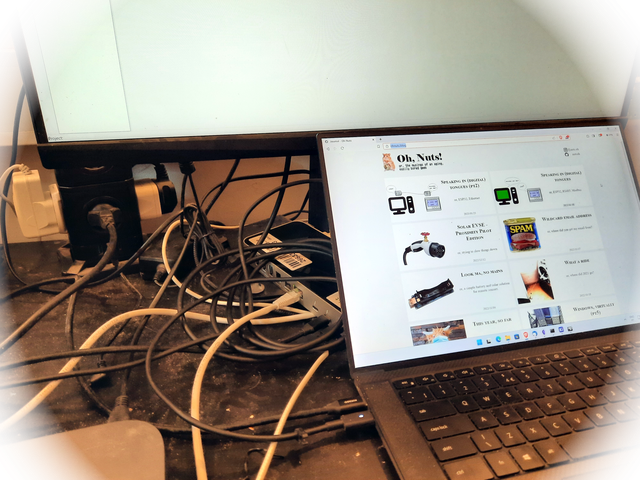
Setting the stage
While I work on many desktops and servers and cloud machines and embedded devices and you get the idea, my actual daily driver is a Dell XPS 15 9500 laptop, and it does have its idiosyncrasies, everything does, but I love it.
That means, of course, losing my eyesight accuracy as one does with age, I also use an external monitor on my permanent desk setup, currently an MSI MAG272QR, that I bought "by mistake". I mean, I bought it on purpose, I just misread the specs yet, lazy as I am, I decided to keep it anyway.
The particular detail I misread was the USB-C power delivery capability, as I was looking for a single cable connection on my desk setup, meaning I would need the monitor to support USB-C video and deliver 60W+ over that same connection, and unfortunately this monitor only does 15W.
But, hey, if that's the only issue, I have 2 Thunderbolt-4 capable USB-C connections on my laptop and another USB-C 3.2, so I'll just use 2 cables, no biggie.
Yet this would be a very short and meaningless writeup if that was all I had to say, right? It's the details, always the details...
Setup 1 - just the monitor
And the power supply, and a USB hub because I need to connect at the very least a mouse which, granted, could be a bluetooth capable one, but that has its issues too, what with battery juggling and less than ideal OS support with cutoffs and such. And I also need to connect to devices through USB for work, so a way to connect a powered hub is a must.
This monitor does have a 2 port USB 2.0 hub but because it does not support data connection, other than the alt mode video, over the USB-C interface, that's not very helpful, is it?
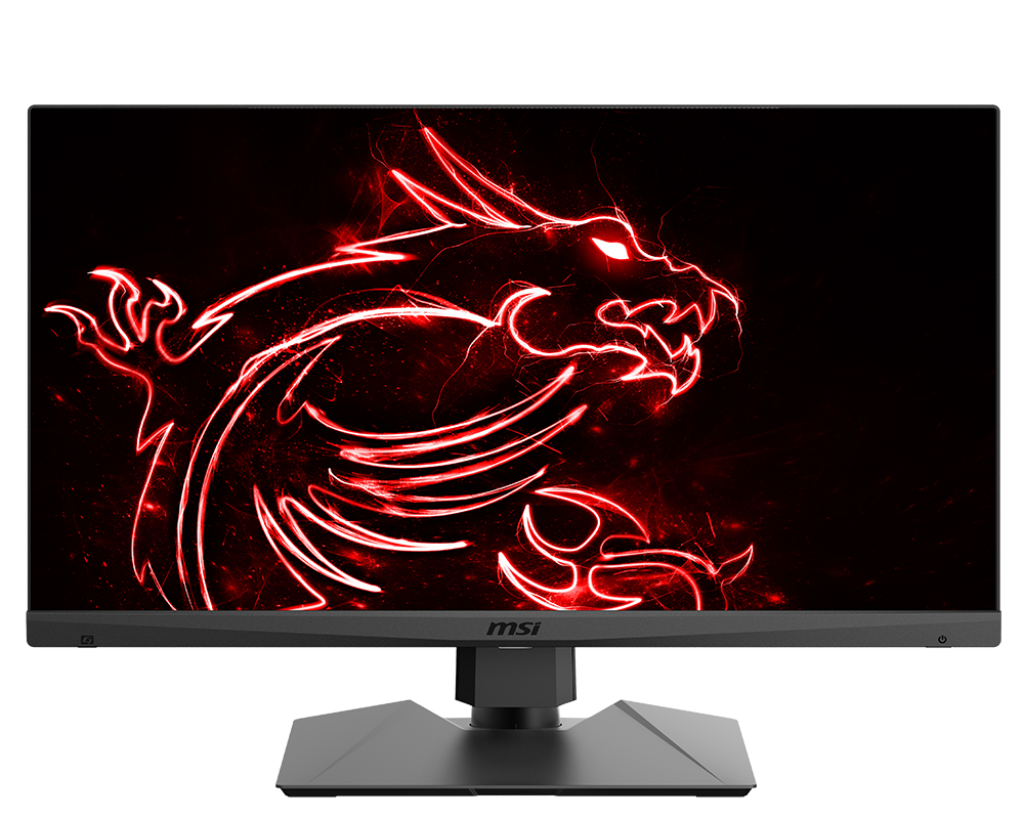
The monitor, as depicted by the brand.
From the manual
USB-C Port
This port can send simultaneously video signal and power stream up to PD 5V/3A. It doesn’t support data transmission function.
Which amounts to all my laptop's USB-C ports being populated, a lot of cables to manage and, ok, maybe I don't need a single cable connection for everything, I mean, it's lovely and all to declutter the desk space but lets be real here, it's just more space for me to fill up with junk anyway, it will never be kept neat and clean.
However, and more importantly, I now have no available USB-C / TB3 connection and there are plenty of times when I need one, and that usually means foregoing power or my mouse if I don't need any other USB-A device while I test something that requires that connection... yuck!
So this one is definitely not a keeper.
Setup 2 - an external GPU enclosure
Well, that's a big stretch, but that is exactly what I've been using for quite some time now, and the specific enclosure I used, the [Razer Core V2](https://mysupport.razer.com/app/answers/detail/a_id/2592/~/at-a-glance:-razer-core-v2-%7C-rc21-01160), seemed to mostly check all the boxes. It wasn't perfect, but there was a USB hub, power delivery that was close to enough to prevent my computer from complaining of a slow charger (60W out of the 65W required), but that really didn't affect anything functionally, and even though it implied adding a GPU to the box, it managed to become a 1 cable solution.
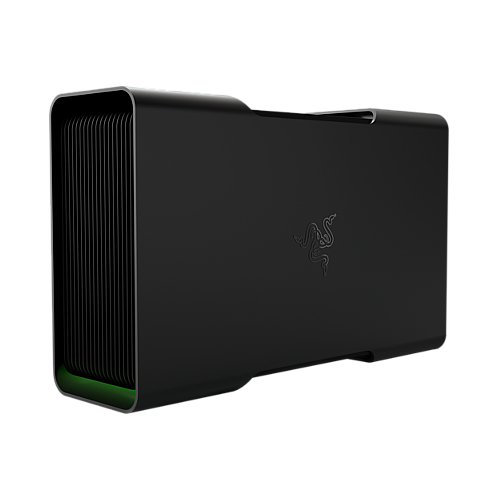
The eGPU enclosure
The added GPU was not a bad thing either, as any GPU load on the laptop pretty much makes the fans go blasting and the keyboard becomes quite hot, so offloading that is always a welcomed feature.
But I write in the past tense, obviously something went wrong... first it was the ethernet connection, which I was using out of convenience, it started cutting off at more or less regular intervals. I have pretty good wifi coverage, so that one was an easy fix, I just stopped using the wired ethernet connection. Though if I had gone through the trouble of understanding a bit more what was going on, I would have realized this wired connection presents itself as an ethernet to USB adapter, and the reason it was failing, I believe, was due to lack of proper power delivery to it.
And the reason I came to that conclusion is because I started getting disconnections on the eGPU enclosure's USB hub too, as soon as some devices I knew required a fair bit of juice were connected, everything goes down on USB town, and then comes back, only to cycle again if the power hungry device is not removed.
Which was solved with powered hubs connected to the Razer, until one day the USB side of it just stopped working... so, great. the GPU still works great to this day, and I will try to find the fault myself, but first I need an alternative way of setting my desk environment up.
There are some known bugs with Linux and the USB controller used in this eGPU enclosure, same as reported by Yusuke on their Razer Core X Chroma, but since I've had this working for some time before it started failing and now the issue also presents itself on Windows, I'm pretty sure it's an actual physical fault that developed.
Setup 3 - a random TB3 hub I had lying around
Currently I'm using a hub, an OWC 13 port thunderbolt 3 dock, that has features I'll likely never use, like a Firewire 800 port (been a while since I've seen one of those), or an S/PDIF optical output. It does have everything else I need, except for Power Delivery to keep the laptop charged, but at least I can run a 2 cable setup and still have a free connection, in case I need it.
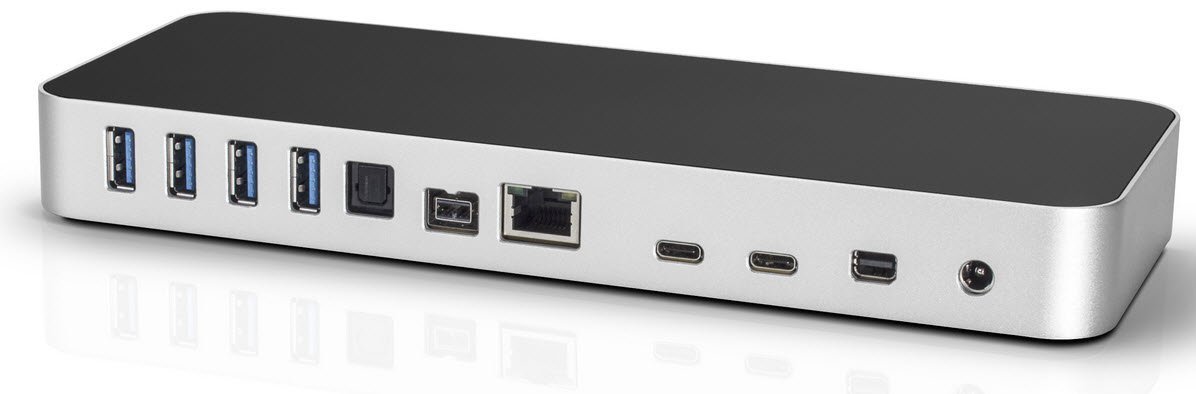
The thunderbolt hub
This particular setup, which is basically the "just the monitor" with a USB hub and ethernet included on the same cable, is awesome and it has an extra party trick up its digital sleeve, and that's a TB3 daisy chained port, which allows me to connect, for example, a 10Gb ethernet connection or even an external GPU, maybe if I can't fix the Razer's hub I'll just connect to it through this port. An expensive hacked up fix, but hey, if it works... I'm just unsure of the implications of PD on the Razer connecting to a downstream port on the OWC hub, but I may just test that, as I would still rather have the external GPU for that odd moment when I play a little Oxygen Not Included.
Of course, since the PD of the Razer is working fine too, I could just connect it directly to the laptop in place of the PSU...
A sidenote on Thunderbolt on linux
Thunderbolt support on linux is good, even great, but external GPU over TB support isn't, at least not in my experience.
I've grown accustomed to not have to tinker with xorg.conf to set up my displays, and that is particularly tedious if you need to change and restart to plug or unplug from the desk setup tether.
It's worst than that, actually, as disconnecting without powering off or manually configuring for single monitor will effectively crash my OS, in the current configuration I am using, at least. This means a sudden power loss was effectively making me lose work until I got a UPS, which I didn't consider a necessity up to that point since, you know, laptops have batteries.
That said, a lot of the heavy lifting is already dealt with for me by egpu-switcher which is an amazing script to help out with Xorg configurations.
And another sidenote on why I learned to hate my monitor
This is an OK monitor, I guess. I don't do any competitive gaming so I can't really speak of the response time or lag, the resolution is good, it is sharp and plenty bright, has all the necessary inputs and the specs clearly state 5V/3A Power Delivery, so my fault for only reading the PD part.
However, there is one small caveat that has driven me to complete and utter Hulk like fury at times, and that is the input selection menu.
You see, when you have multiple image sources connected the monitor allows you to select one, but not to keep it there, so as soon as it decides the source disappeared, it jumps to some other source and the exact reasoning behind which source is kinda funky. It seems that if DisplayPort is being used, that is always the fallback, and otherwise it will just cycle through each source trying to find one that works.
And if none is found? This is the most infuriating bit of all. The monitor goes to sleep, which, OK, fair enough. However there is NO WAY to get to the menu unless there's an active image source. In other words, if you are using a dual monitor setup and your OS detects there's no monitor, it goes back to single monitor mode, which disconnects that particular input on the monitor and it jumps to some other source, like, oh, I don't know, DP...
Then it provides some signal over the connected HDMI, which is detected by the OS and it tries to connect to it but since the monitor is stuck on the other source, eventually gives up. But wait, the monitor again has it so the HDMI appears connected, so the OS keeps cycling through one and two monitor configs, but the monitor never sees a thing.
No problem, just select the HDMI input, right? Well, no. There's no way to call up the monitor menu until it finds a working source. The solution? Turn the monitor off, change the input used physically (so HDMI1 to HDMI2, for example) and that seems to trigger a rescan. And it works great until it doesn't again.
I kind of understand that there needs to be an active image so there's something to draw the menu onto, but every other monitor I used somehow doesn't have this issue. No source? Let me draw the menu here anyway so you can select one.
And adding insult to injury, when you restart a computer, say my Mac Mini is on USB-C and my laptop on HDMI, and I have the Mac currently selected to be displayed on the monitor, the reboot removes the signal for a few seconds. Can you guess what happens here? It jumps to the laptop and I have to manually select the Mac's input again.
It's just a terrible, horrible, horrendous user experience but, like I said before, the monitor is OK, I guess :)
And so
For now this is fine, but I am actively hunting for a new monitor, one that cooperates a bit better with me, and a bigger one while I'm at it, since my eyes are not getting better with age, amazingly enough.
I have been considering the Dell P3223QE, a 4K IPS monitor with 90W Power Delivery over USB-C (yes, I am checking this now), the ability to be rotated 90º into portrait mode (not sure why I want that, but I want that) and USB-A downstream ports along with builtin Ethernet. This could be my 1 cable setup finally.
The only caveat is that my current monitor, infuriating as it is, works fine when it works which is most of the time, and I hate to phase out perfectly functional electronics. If ever I find an excuse to reuse this screen somewhere else, that will be my opportunity to upgrade the desk.
An that is left to say here is thanks for listening... I really needed to get this one off my chest!