Windows, virtually (pt3)
or, less is sometimes more
Downsizing takes work
We left the last part of this endeavour with what appeared to be proper GPU passthrough for the windows virtual machine, but we didn't really test it out for performance and stability, as we didn't get to the actual install of windows yet.
And we're not going to right now, though I fully intend to in a little bit, but first I need to understand how feasible it will be to skip the host dedicated GPU, as it is a waste of space, slots, hardware and power. And we're all about efficiency, are we not? So, game plan, check if retrieving the GPU ROM and feeding it to qemu, as instructed in the usual reference for this whole thing, Heiko's blog post, can actually fix this.
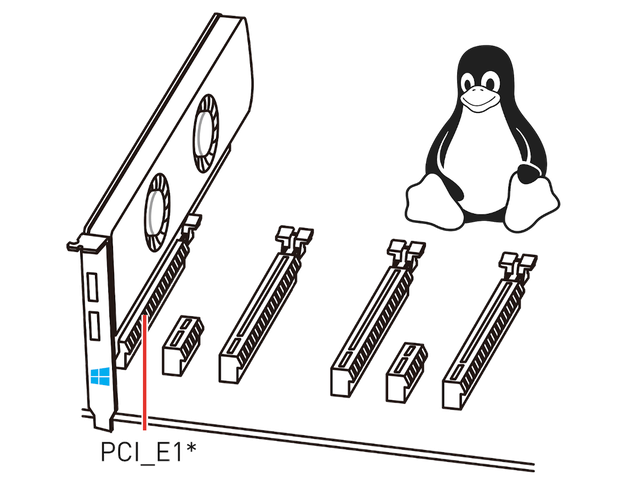
We start by moving the GTX 1080ti to PCIe slot 4 and using slot 1 for the GT710 temporarily. We boot the computer and dump the ROM file from the GPU while the VM is running.
ce@bear:~$ lspci -k
0a:00.0 VGA compatible controller: NVIDIA Corporation GP102 [GeForce GTX 1080 Ti] (rev a1)
 Subsystem: ZOTAC International (MCO) Ltd. GP102 [GeForce GTX 1080 Ti]
 Kernel driver in use: vfio-pci
 Kernel modules: nvidiafb, nouveau
0a:00.1 Audio device: NVIDIA Corporation GP102 HDMI Audio Controller (rev a1)
 Subsystem: ZOTAC International (MCO) Ltd. GP102 HDMI Audio Controller
 Kernel driver in use: vfio-pci
 Kernel modules: snd_hda_intel
ce@bear:~$ sudo cp /usr/share/OVMF/OVMF_VARS.fd /tmp/my_vars.fd
ce@bear:~$ sudo qemu-system-x86_64 (...)
QEMU 4.1.0 monitor - type 'help' for more information
(qemu) ^Z
[1]+ Stopped sudo qemu-system-x86_64
ce@bear:~$ sudo su -c 'echo 1 > /sys/bus/pci/devices/0000:0a:00.0/rom'
ce@bear:~$ sudo su -c 'cat /sys/bus/pci/devices/0000\:0a\:00.0/rom > ZotacGTX1080TImini.rom'
ce@bear:~$ fg
quit
ce@bear:~$ poweroff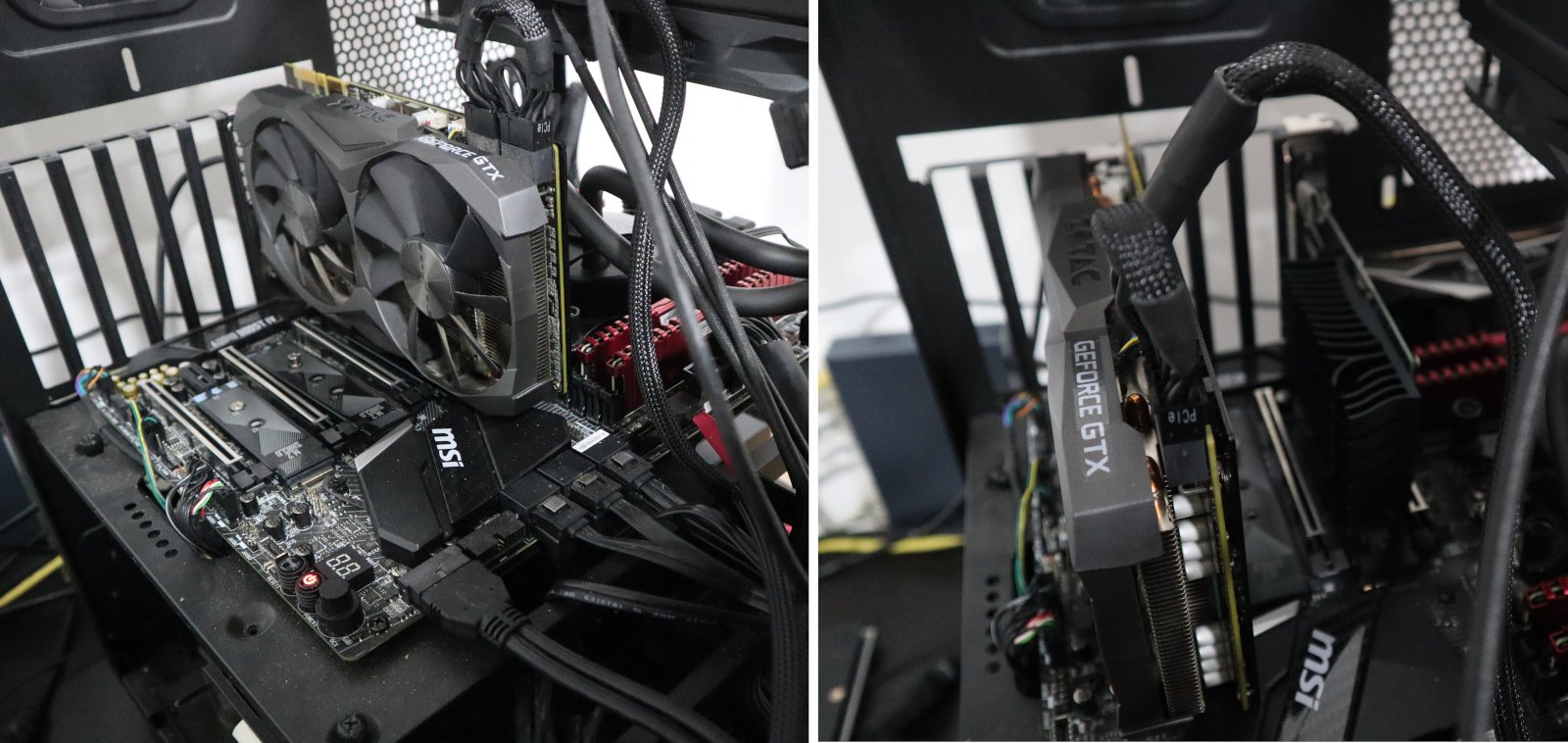
What we want to use, and what we must use for now
What we want to use, and what we must use for now
The computer shuts down and I remove the GT710 card, replacing the GTX1080ti back to its main slot. Power on and we add the `romfile=/home/ce/ZotacGTX1080TImini.rom` option to the gpu device option of qemu;
ce@bear:~$ sudo cp /usr/share/OVMF/OVMF_VARS.fd /tmp/my_vars.fd
ce@bear:~$ sudo qemu-system-x86_64 (...) -device vfio-pci,host=0a:00.0,multifunction=on,romfile=/home/ce/ZotacGTX1080TImini.rom (...)
QEMU 4.1.0 monitor - type 'help' for more information
(qemu) qemu-system-x86_64: -device vfio-pci,host=0a:00.0,multifunction=on,romfile=/home/ce/ZotacGTX1080TImini.rom: Failed to mmap 0000:0a:00.0 BAR 3. Performance may be slow
And it works! But wait, what's with the failed to mmap error creeping back? Well, apparently because the framebuffer for the console has been assigned to this GPU, even though the driver has been moved to vfio-pci, there has been some resource mapping that wasn't released, and as such we're left with a working GPU for passthrough but in a less than ideal way. Looking for solutions on the interwebs lead me to a post explaining how to disable the BIOS and initial linux kernel output to use the GPU for their framebuffer.
ce@bear:~$ cat /etc/default/grub | grep GRUB_CMDLINE
GRUB_CMDLINE_LINUX_DEFAULT="pci=nommconf amd_iommu=on video=vesafb:off,efifb:off"
GRUB_CMDLINE_LINUX=""
ce@bear:~$ sudo update-grub
Sourcing file `/etc/default/grub'
Generating grub configuration file ...
Found linux image: /boot/vmlinuz-4.15.0-66-generic
Found initrd image: /boot/initrd.img-4.15.0-66-generic
Adding boot menu entry for EFI firmware configuration
done
ce@bear:~$ sudo reboot
Same boot sequence as before, that's odd;
ce@bear:~$ cat /proc/cmdline
BOOT_IMAGE=/boot/vmlinuz-4.15.0-66-generic root=UUID=e0ce4517-3c1b-435e-8ceb-06525713fb04 ro pci=nommconf amd_iommu=on video=vesafb:off,efifb:off
ce@bear:~$ sudo cp /usr/share/OVMF/OVMF_VARS.fd /tmp/my_vars.fd
ce@bear:~$ sudo qemu-system-x86_64 (...) -device vfio-pci,host=0a:00.0,multifunction=on,romfile=/home/ce/ZotacGTX1080TImini.rom (...)
QEMU 4.1.0 monitor - type 'help' for more information
(qemu) qemu-system-x86_64: -device vfio-pci,host=0a:00.0,multifunction=on,romfile=/home/ce/ZotacGTX1080TImini.rom: Failed to mmap 0000:0a:00.0 BAR 3. Performance may be slow
Nope, lets see what else we can find... and a little trip down memory lane (i.e. reading my own previous blog entry searching for clues) makes it clear I skipped a step, specifically the unbinding of the console from the framebuffer:
ce@bear:~$ sudo su -c'echo 0 > /sys/class/vtconsole/vtcon0/bind'
ce@bear:~$ sudo su -c'echo 0 > /sys/class/vtconsole/vtcon1/bind'
ce@bear:~$ sudo su -c'echo efi-framebuffer.0 > /sys/bus/platform/drivers/efi-framebuffer/unbind'
ce@bear:~$ sudo qemu-system-x86_64 (...)
QEMU 4.1.0 monitor - type 'help' for more information
(qemu)
Woot! Now we're golden! I just need to retrace the changes I made to the kernel cmdline to assert which are actually needed, and we can move on to the next step.
ce@bear:~$ cat /proc/cmdline
BOOT_IMAGE=/boot/vmlinuz-4.15.0-66-generic root=UUID=e0ce4517-3c1b-435e-8ceb-06525713fb04 ro amd_iommu=on
ce@bear:~$ cat /etc/default/grub | grep CMDLINE
GRUB_CMDLINE_LINUX_DEFAULT="amd_iommu=on"
GRUB_CMDLINE_LINUX=""
ce@bear:~$ sudo su -c'echo 0 > /sys/class/vtconsole/vtcon0/bind'
ce@bear:~$ sudo su -c'echo 0 > /sys/class/vtconsole/vtcon1/bind'
ce@bear:~$ sudo su -c'echo efi-framebuffer.0 > /sys/bus/platform/drivers/efi-framebuffer/unbind'
ce@bear:~$ sudo cp /usr/share/OVMF/OVMF_VARS.fd /tmp/my_vars.fd
ce@bear:~$ sudo qemu-system-x86_64 \
> -name winvm1,process=winvm1 \
> -machine type=q35,accel=kvm \
> -cpu EPYC,kvm=off \
> -smp 4,sockets=1,cores=2,threads=2 \
> -m 8G \
> -rtc clock=host,base=localtime \
> -vga none \
> -nographic \
> -serial none \
> -parallel none \
> -usb \
> -device usb-host,vendorid=0x1bcf,productid=0x0005 \
> -device usb-host,vendorid=0x04d9,productid=0x1702 \
> -device vfio-pci,host=0a:00.0,multifunction=on,romfile=/home/ce/ZotacGTX1080TImini.rom \
> -device vfio-pci,host=0a:00.1 \
> -drive if=pflash,format=raw,readonly,file=/usr/share/OVMF/OVMF_CODE.fd \
> -drive if=pflash,format=raw,file=/tmp/my_vars.fd \
> -boot order=dc \
> -drive id=disk0,if=virtio,cache=none,format=raw,file=/dev/disk/by-id/wwn-0x500a0751f002394a \
> -drive file=/home/ce/win10.iso,index=1,media=cdrom \
> -drive file=/home/ce/virtio-win-0.1.171.iso,index=2,media=cdrom \
> -netdev type=tap,id=net0,ifname=vmtap0,vhost=on \
> -device virtio-net-pci,netdev=net0,mac=00:16:3e:00:01:01
QEMU 4.1.0 monitor - type 'help' for more information
(qemu)
Right, lets install windows then. First thing to do is to use the viostor driver from the virtio drivers cd we passed as drive E:, as without it we won't see the install drive. Installation goes smoothly from there but we don't have network on the post install setup stage, so lets just say we don't have internet and use a local account to set up the new installation.

A collage of really bad snapshots from the windows install driver selection
And once all that is done lets get drivers up to speed, starting with network from the virtio drivers cd, which works fine, and a little bit later, I'm assuming because with internet connection windows tried to be smart and helpful and install better graphics drivers, my screen turns greenish and hard to read... A reboot fixes this much, so lets now get the latest Nvidia driver, which at this particular point in time is 441.08. Also, since this is windows, lets take the time to install every update it wants us to install, and then begin benchmarking.
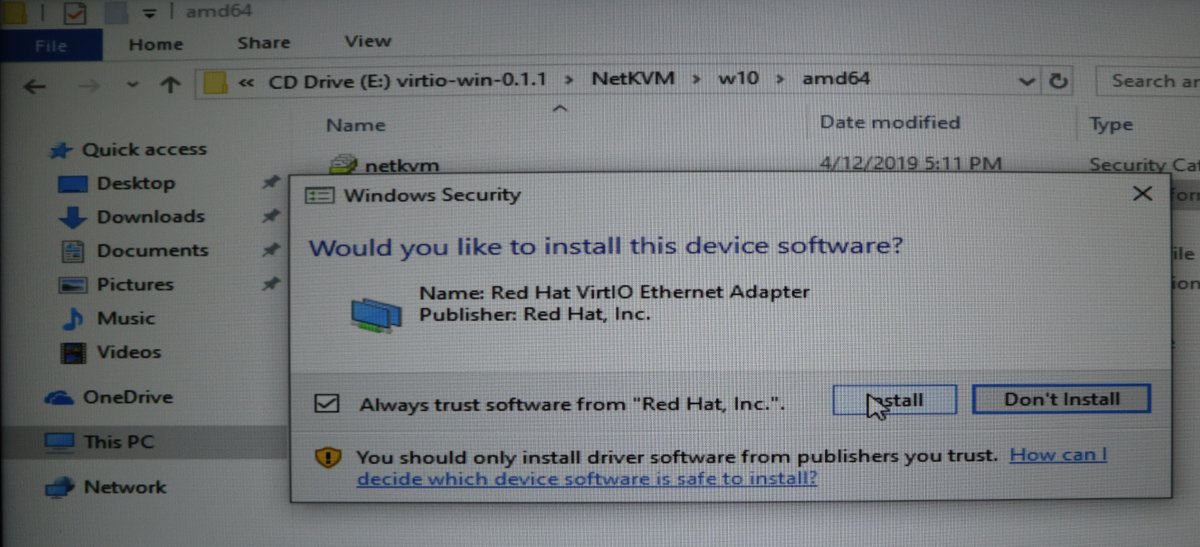
virtio's NetKVM driver, so we have the interwebs
It has been a long, long time since I last benchmarked a windows machine, so I'm rusty as to what I should be using. Quick searching led me to plenty of options, and I tried Novabench first, with not really earth shattering results and a confusing online comparison database, so I also ran 3DMark which I believe is one of the "industry standards" as far as online reviewers go.

Benchmark results, top is Virtual Machine, bottom is bare metal
Huh, ok... The GPU score of 704 is, according to Novabench's user submitted scores, just shy of the 710 from an AMD Radeon RX470 and a bit lower than the 723 of an NVidia GTX 1060 Max-Q, so, definitely not even in the ballpark of what was to be expected. The CPU score of 575, while being completely subpar too, could very well be approximately real as we're slicing the host CPU, and finally disk and RAM seem just about right with what I'd expect without any relative comparison data points.
3DMark, however, gives me a score that is comparable to other similar GPUs' scores on their database, so that's something. I decided to boot the windows VM disk as a bare meta operating system, or in other words, as the actual machine's host, to have a comparison point, and yeah, GPU was actually worst for Novabench for some reason while CPU is much better in both benchmarks simply because we're using the whole CPU, 16 cores and 32 threads of it, not just 2 cores and 2 threads we assigned to the VM.
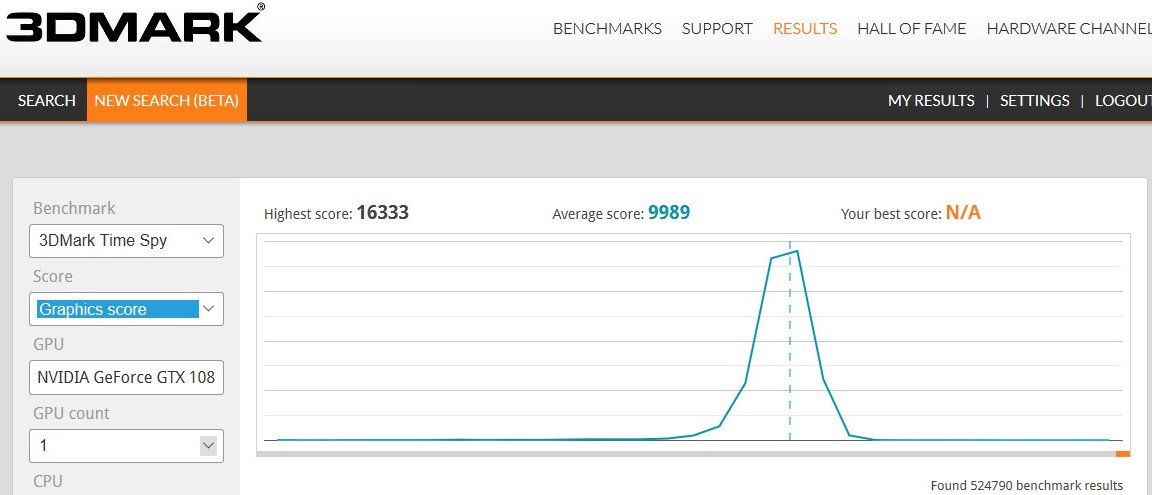
3DMark score distribution for the GTX 1080 TI
Everything else is as expected so, this is actually great news. I might not have the fastest of the GTX 1080 TI's out there, and the disk and RAM also leave some room for improvement but, in a nutshell, our VM is performing almost as good as the physical machine allows, which is straight up a victory at this stage.
There is a lot more that needs to be done before this is in any way or shape a usable system, but come next instalment of this series and I'll probably waste everyone's time benchmarking storage options, as well as automating all of this so we can easily add new VMs by adding more KVMs, the Keyboard, Video, Mouse type :)